

Plus Package for Daylite
The Plus Package for Daylite is a suite of all our plugins and includes additional exclusive features, such as access to iOWeb and a 10% discount on our consulting services.
Over 30 exclusive features for Plus Package customers
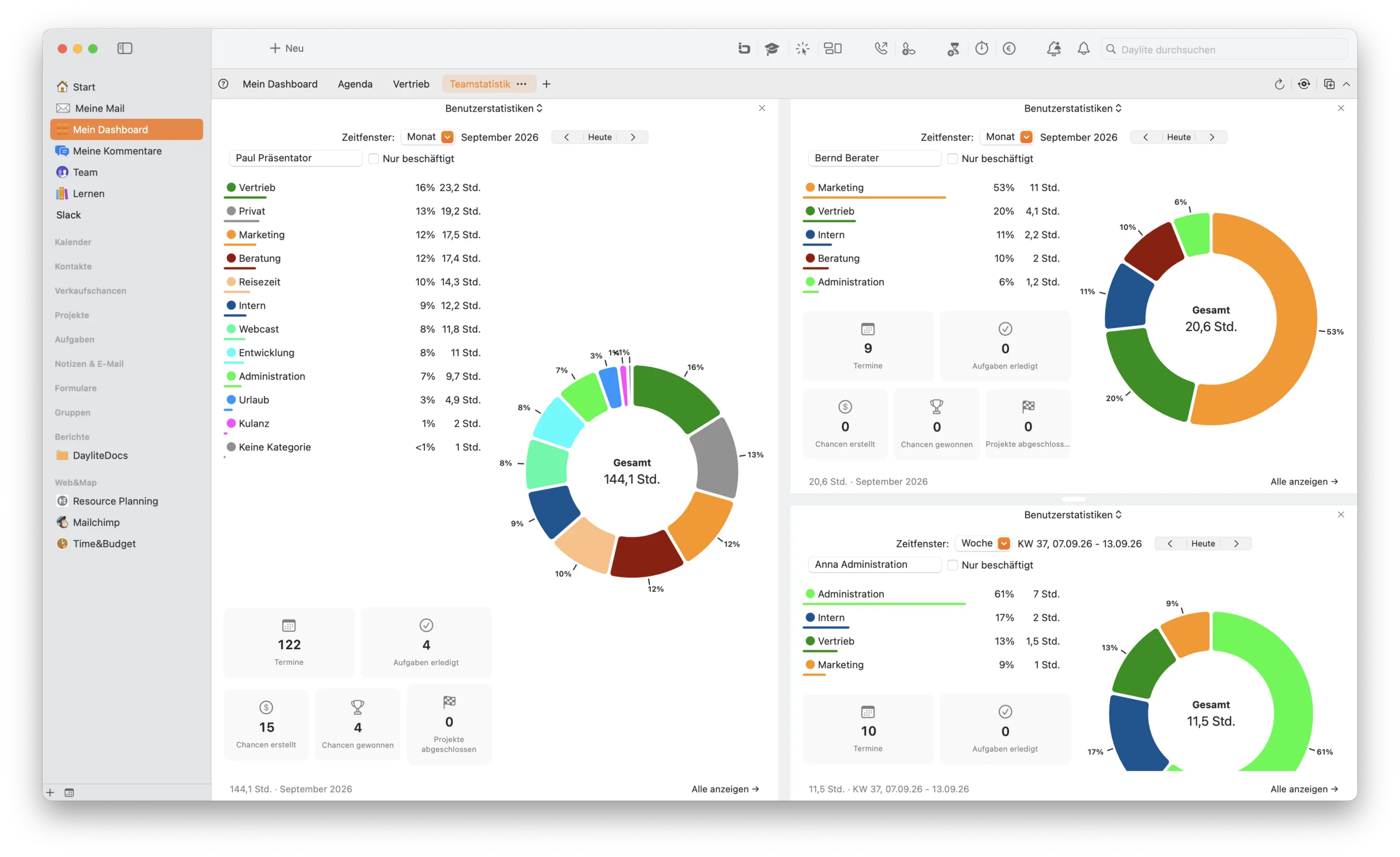
My Dashboard
Keep track of your Daylite data in a personalized dashboard featuring key KPIs. Track incoming and outgoing calls, evaluate your sales opportunities, and see at a glance who is currently working on what and when your next meetings are scheduled.

LinkedIn Integration
With LinkedIn integration, you can import and update LinkedIn contacts directly in Daylite. Simply import contact information by clicking the Daylite icon on the LinkedIn profile. You can also sync existing contacts in Daylite with LinkedIn to fill in any missing information.
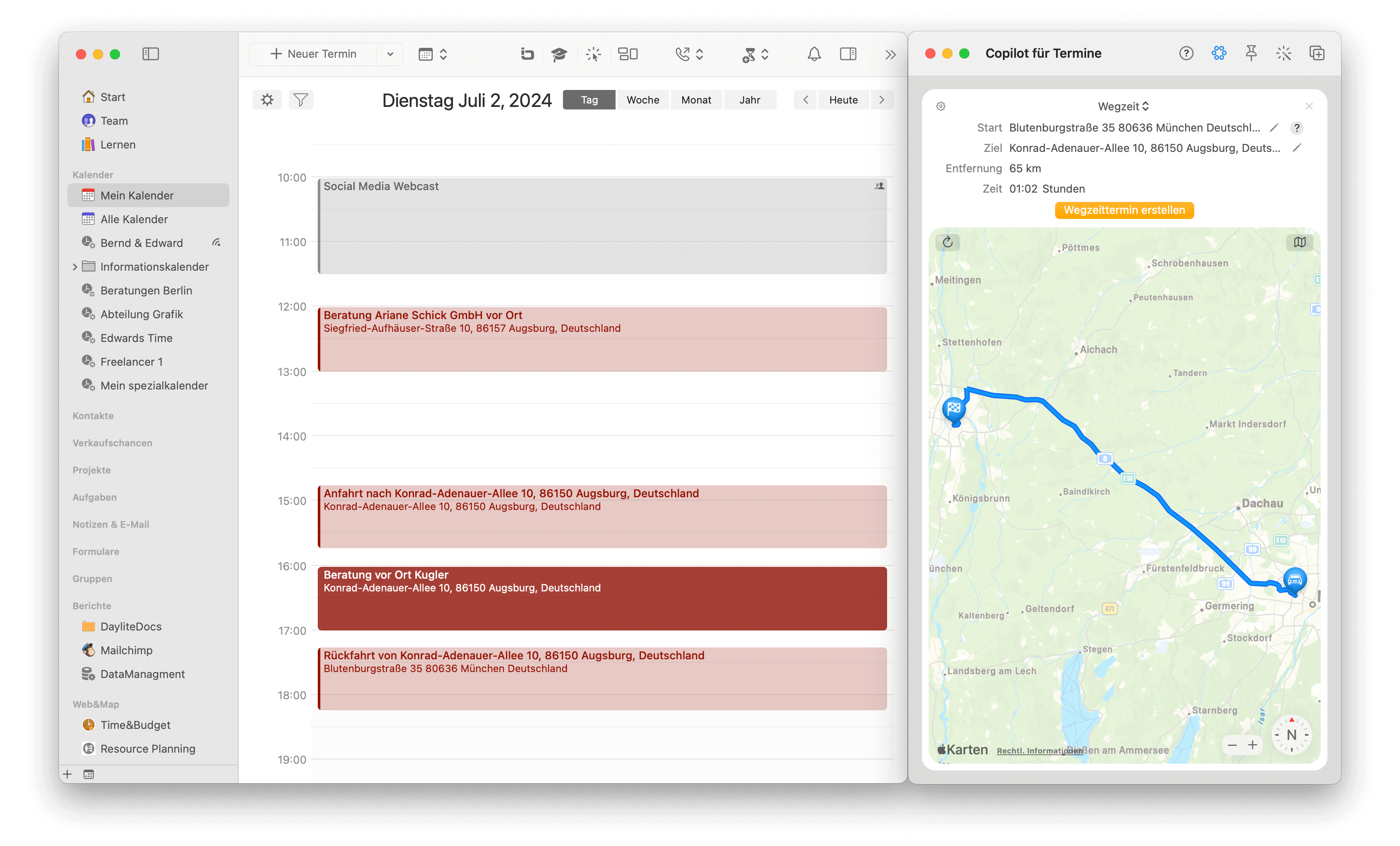
Travel Time Calculation with Copilot
The new feature in Web&Map displays the distance and estimated travel time for each calendar entry. With just one click, arrival and departure times are automatically inserted, and the route opens in Apple Maps. For companies with a fleet of vehicles, the required vehicle is automatically reserved. Travel times are assigned to the respective project and can be billed via Time&Budget.

Comments
With Daylite Comments, team members can write messages directly in Daylite and notify specific recipients. This feature simplifies communication, as the message history and important information are stored directly with the respective Daylite object.
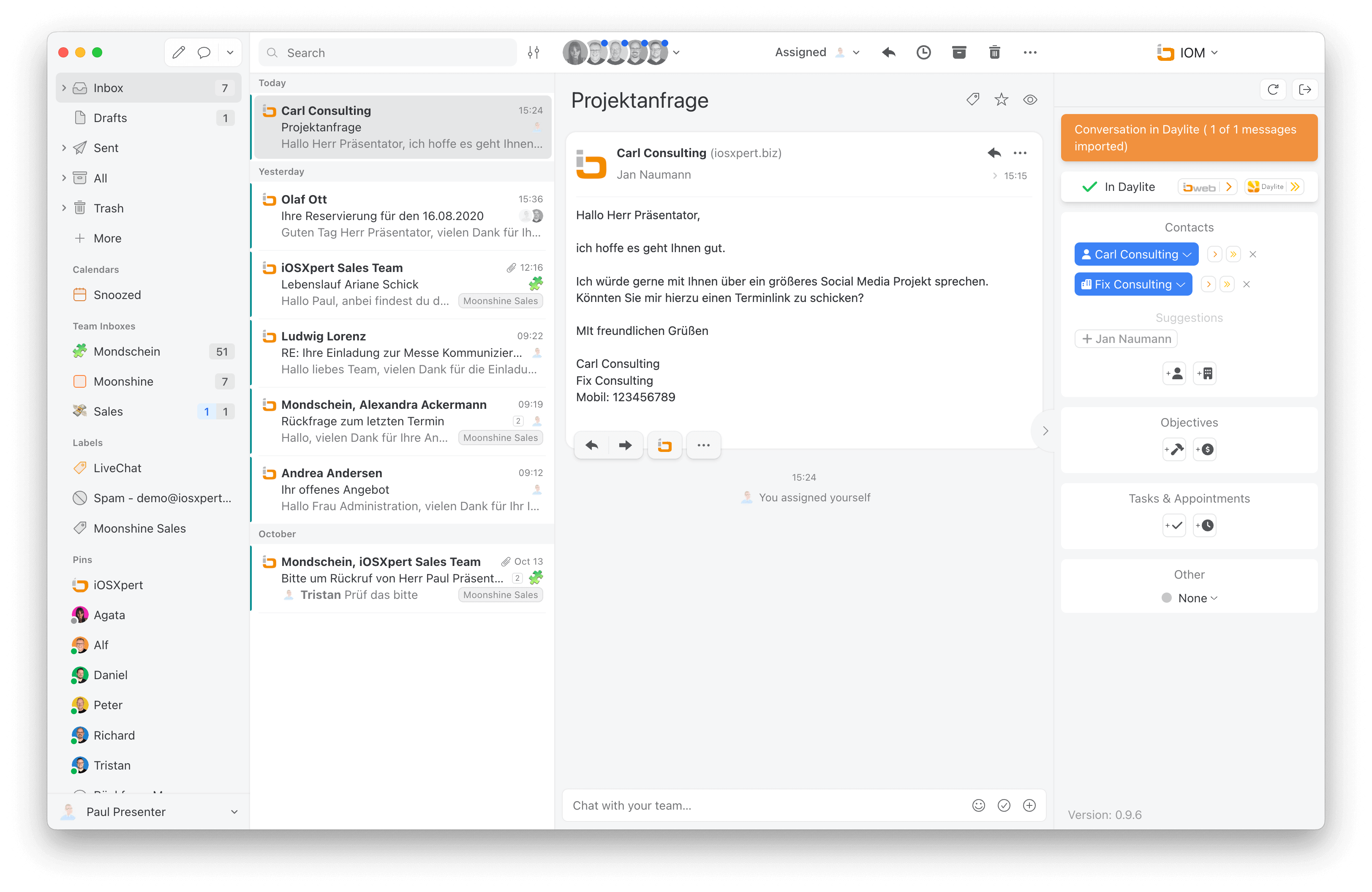
Missive Mail Integration IOM
Use Missive as an alternative email client for Daylite. In addition to the features familiar from the Apple Mail integration, Missive also lets you initiate smart email chains directly from within Daylite. Send personalized HTML-based emails directly from Daylite and schedule the send time for each individual email. In addition to email management, Missive itself offers WhatsApp and chat features. Missive and our accompanying email integration don’t just run on macOS. You can also enjoy the benefits of integrating Missive and Daylite on your iPhone, Android phone, or a Windows operating system.
iOWeb
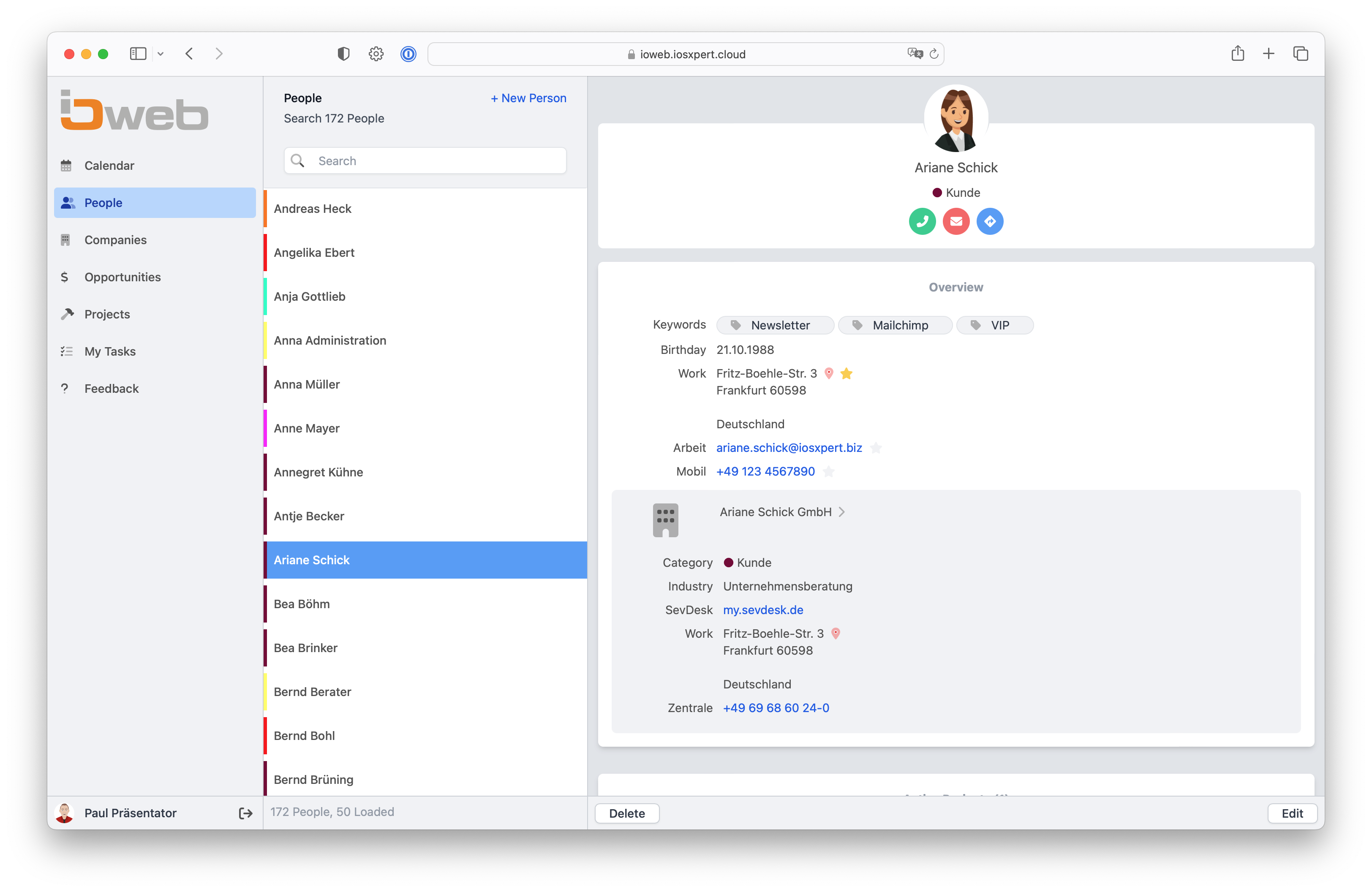
iOWeb lets you view and edit Daylite data through a web browser. This allows you to work with your Daylite information even from a Windows or Android device.
iOWeblink
Share information from your Daylite projects with non-Daylite users. Create a URL for each project to allow your clients or partners to view the project using a web browser. Optionally, you can also allow them to edit tasks. This is ideal when working with external collaborators. You’ll receive a notification in Daylite for every comment an external collaborator leaves via the Internet.

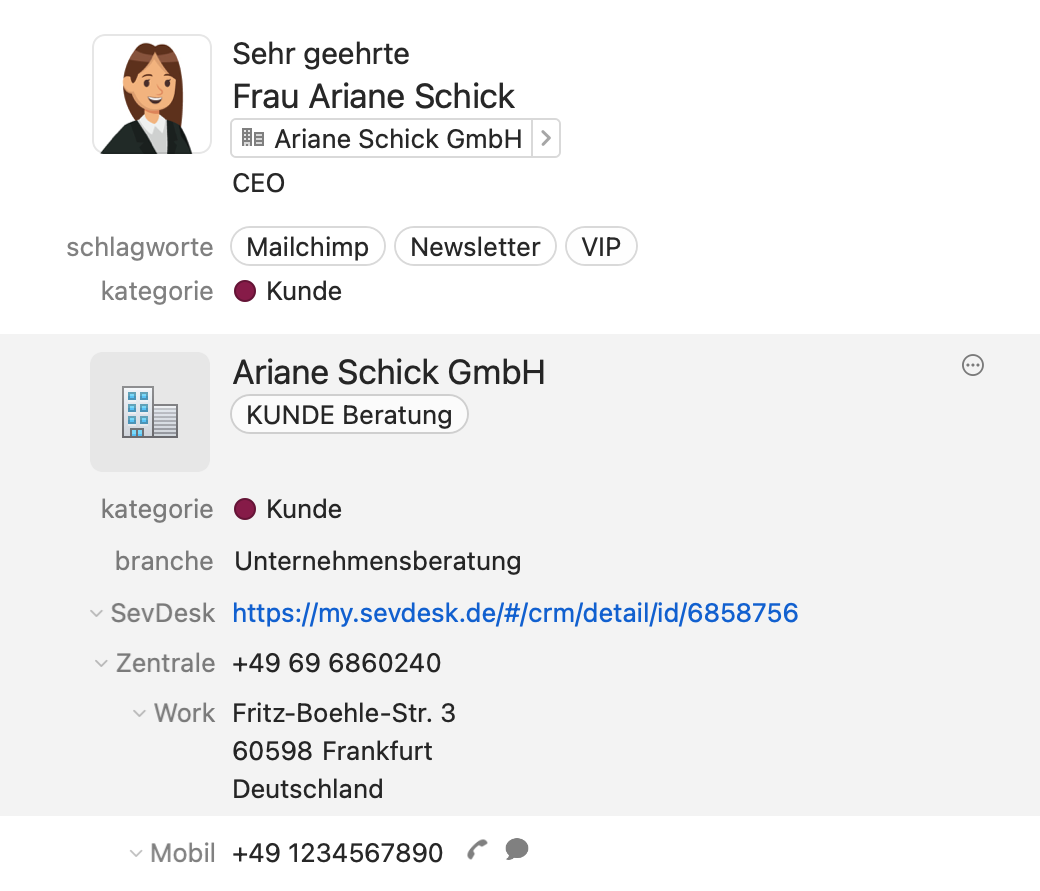
Alternative Contact View
An alternative view allows you to display both contact and company information side by side in Daylite. Take advantage of widgets, preview windows, and additional pop-up fields that make data entry easier.
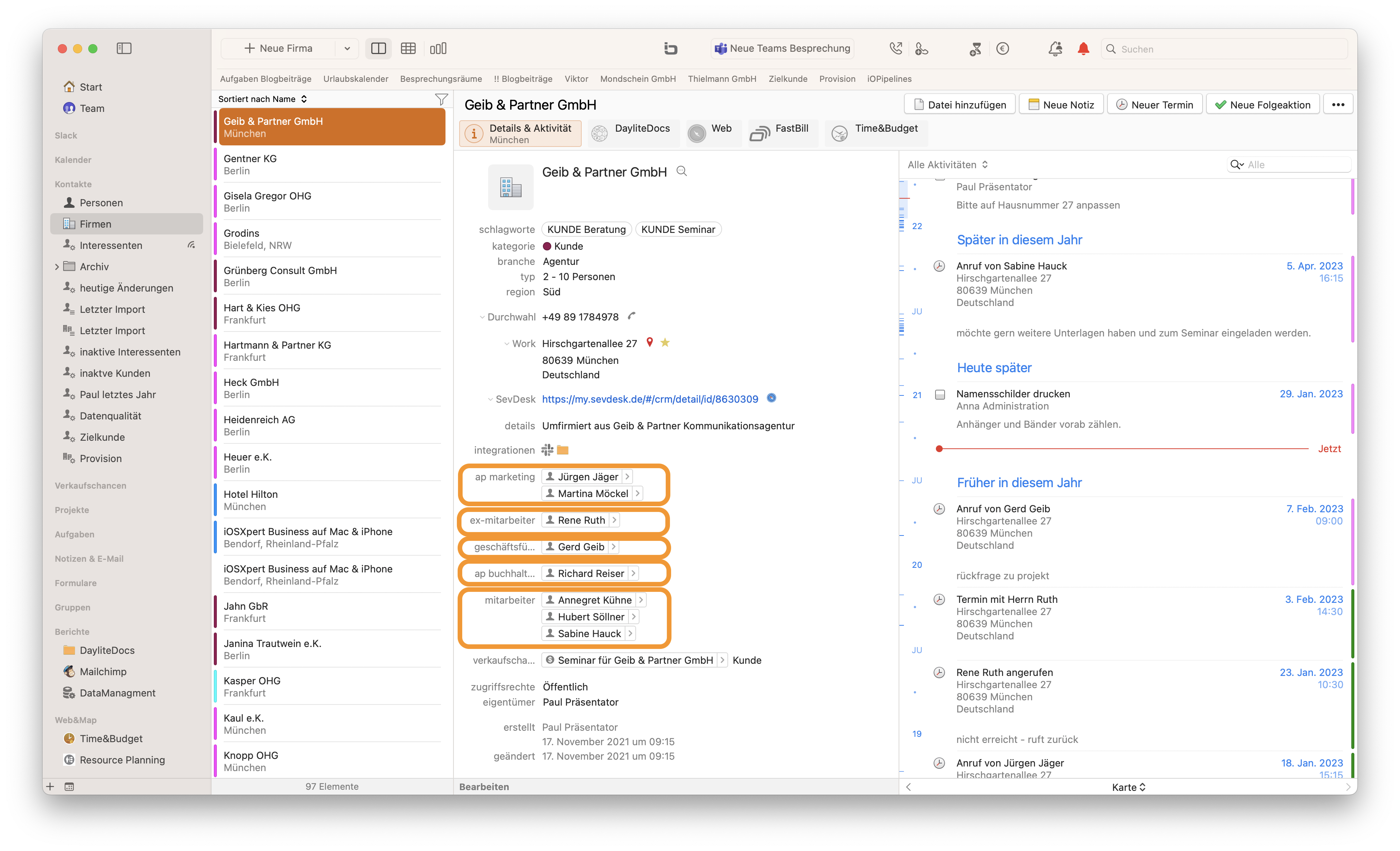
Role Grouping
Group linked objects by their roles. This gives you an at-a-glance view of everyone with the same role in sales opportunities, projects, or companies. For people and companies, you can also group projects by the respective role of the parent object.
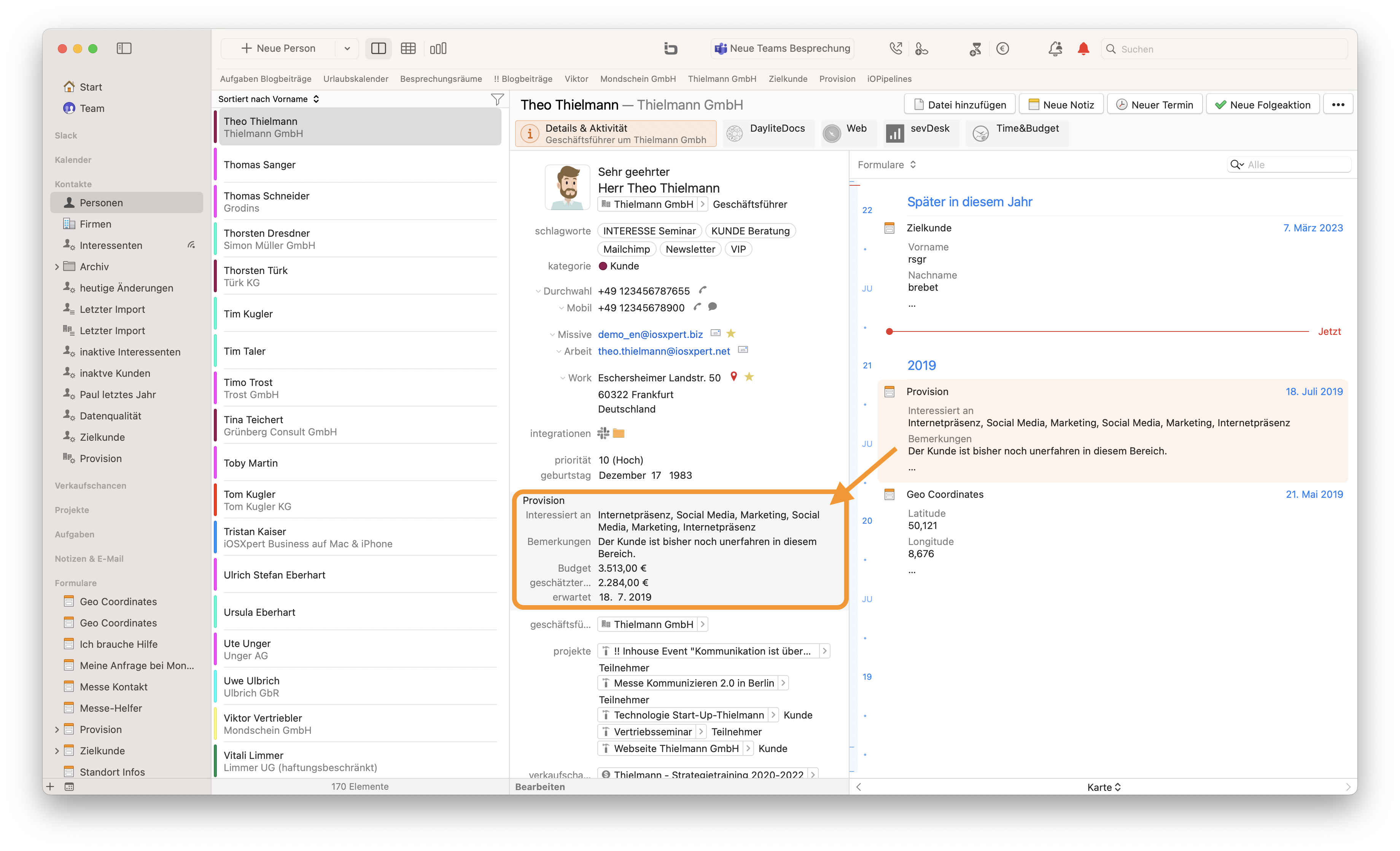
Unlimited Customizable Free Fields
Expand the Daylite forms for People, Companies, Projects, and Sales Opportunities with an unlimited number of free fields. The fields can be formatted however you like: pop-up fields or currency fields, anything is possible.
Unlimited Customizable Free Fields
Expand the Daylite forms for People, Companies, Projects, and Sales Opportunities with an unlimited number of free fields. The fields can be formatted however you like: pop-up fields or currency fields, anything is possible.
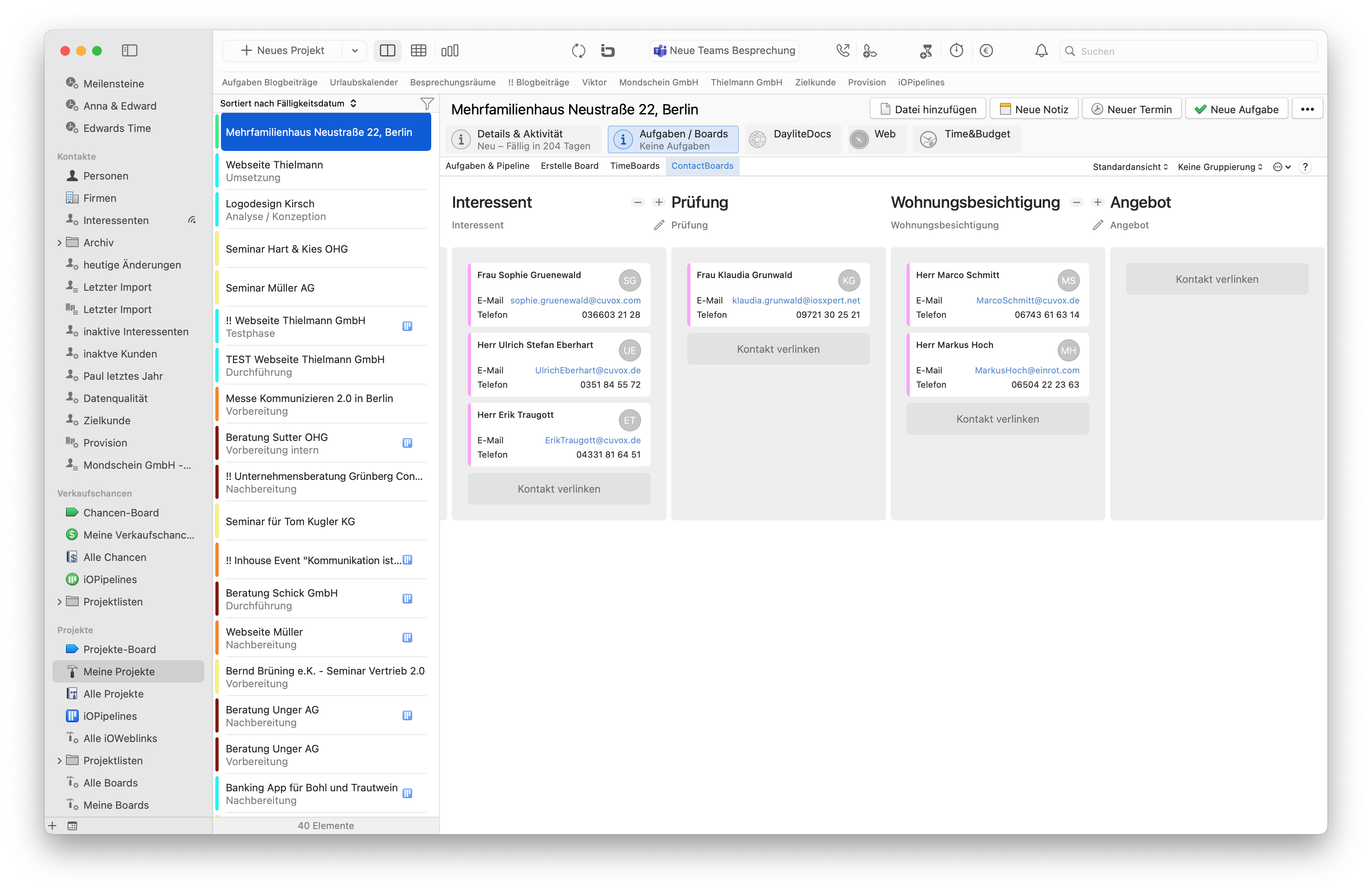
PersonBoards
Create Kanban boards where the people linked to a project are displayed as tickets on the board. The person’s role serves as a column. This allows you, for example, to easily manage recruiting processes, seminar attendance, or prospective real estate buyers visually.

Representative function
Define which users on your Daylite team should have access to your reminders and for how long. This ensures that important Daylite reminders are handled even while you’re on vacation, or allows an assistant to help you complete your to-dos.
Representative function
Define which users on your Daylite team should have access to your reminders and for how long. This ensures that important Daylite reminders are handled even while you’re on vacation, or allows an assistant to help you complete your to-dos.
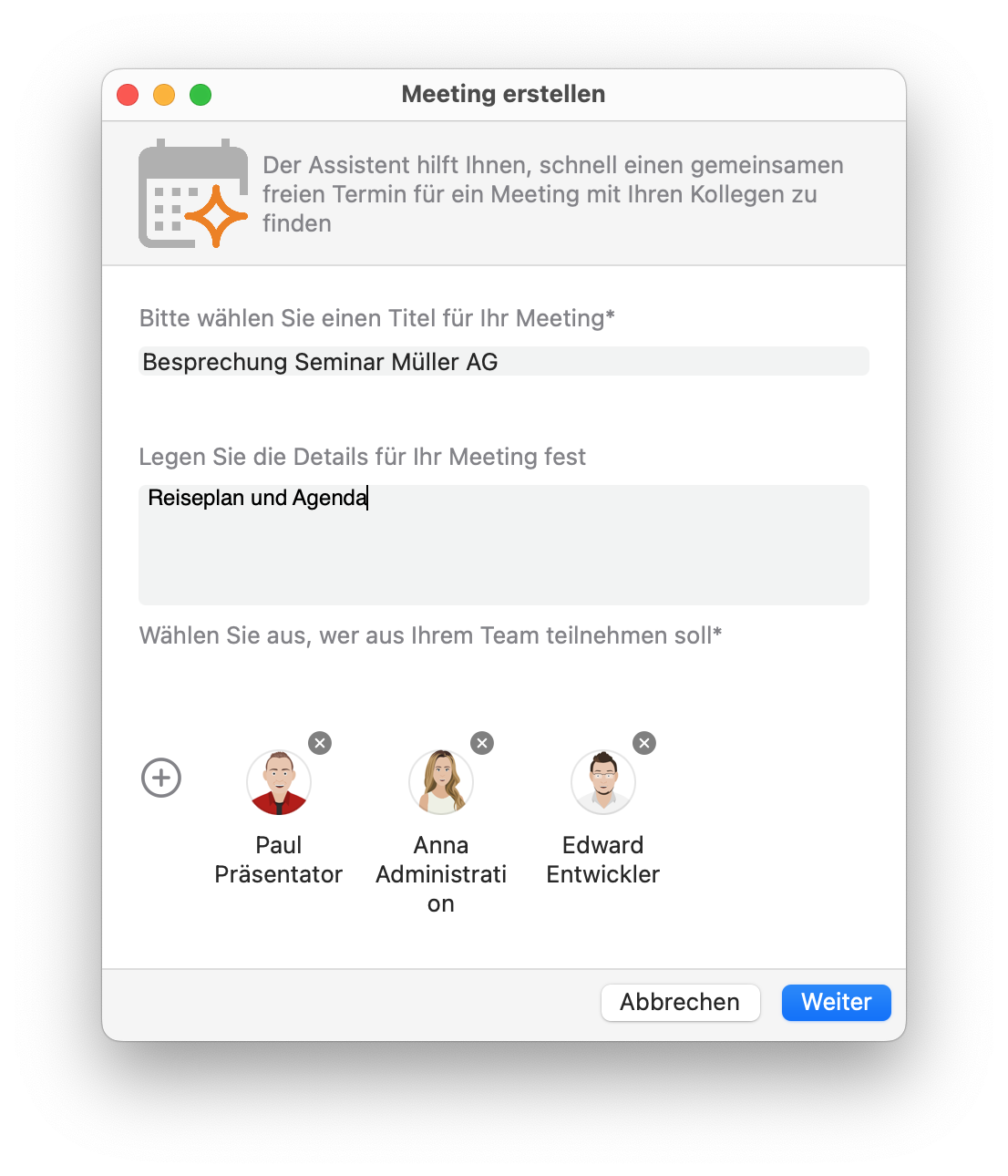
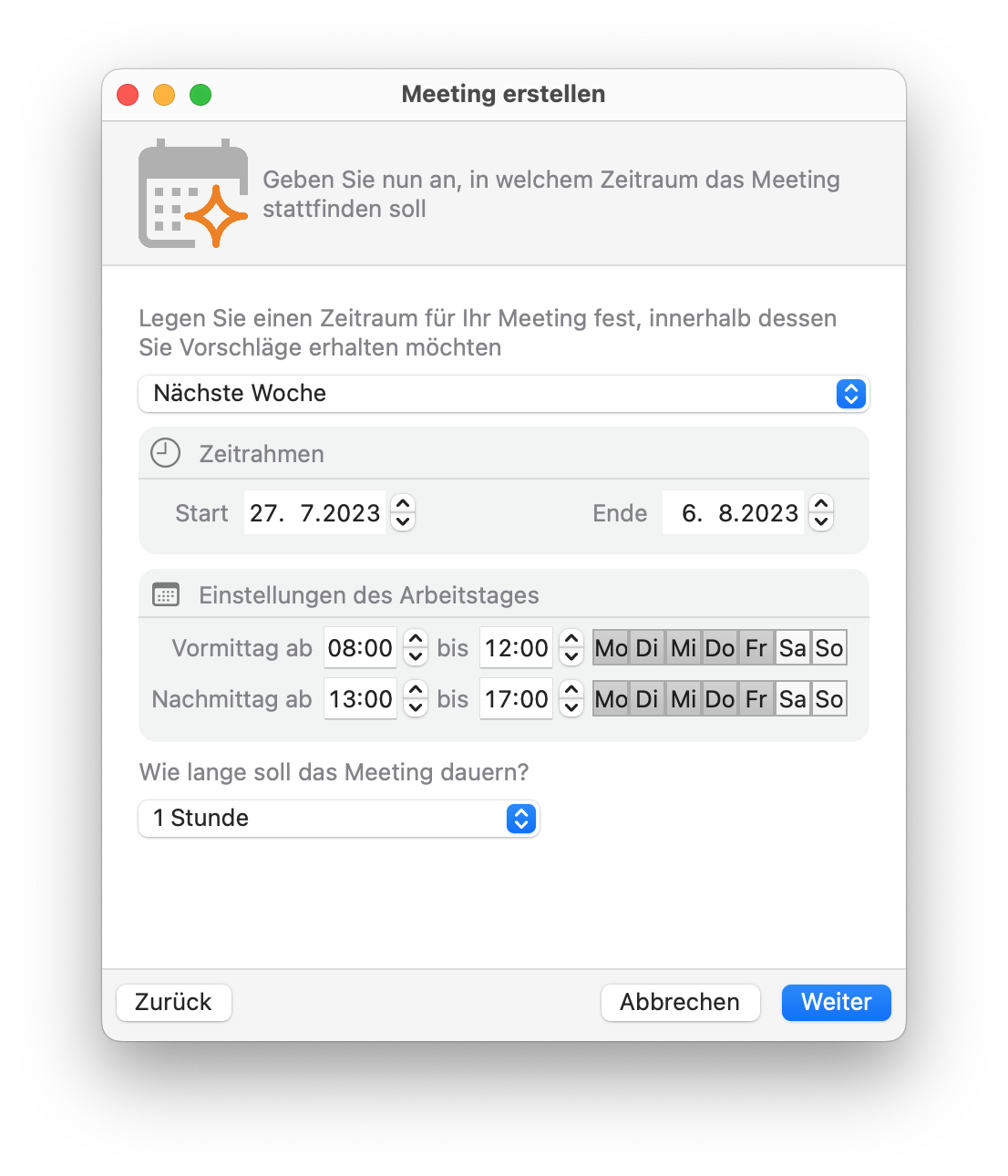
Meeting Wizard
The Meeting Wizard makes it easier for you to find a time that works for everyone on your team. Simply enter your meeting parameters, such as the time frame and duration, and the Meeting Wizard will suggest times that work for everyone on your team.
Redelegation
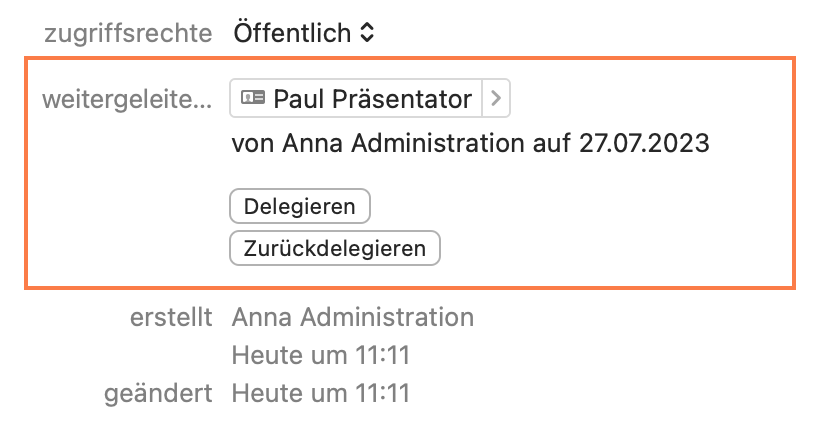
If you use Daylite as part of a team, you’ll love the ability to delegate tasks to other team members. We also make it easy for you to redelegate tasks.
Redelegation
If you use Daylite as part of a team, you’ll love the ability to delegate tasks to other team members. We also make it easy for you to redelegate tasks.
Multi-Client Support for FinanceConnector
Daylite allows you to connect multiple accounts/clients simultaneously to make your workflows even more efficient. This seamless integration provides you with a comprehensive solution that enables you to manage your finances and clients optimally. This saves you time and resources, allowing you to focus on your core business.

Bulk Editing Forms
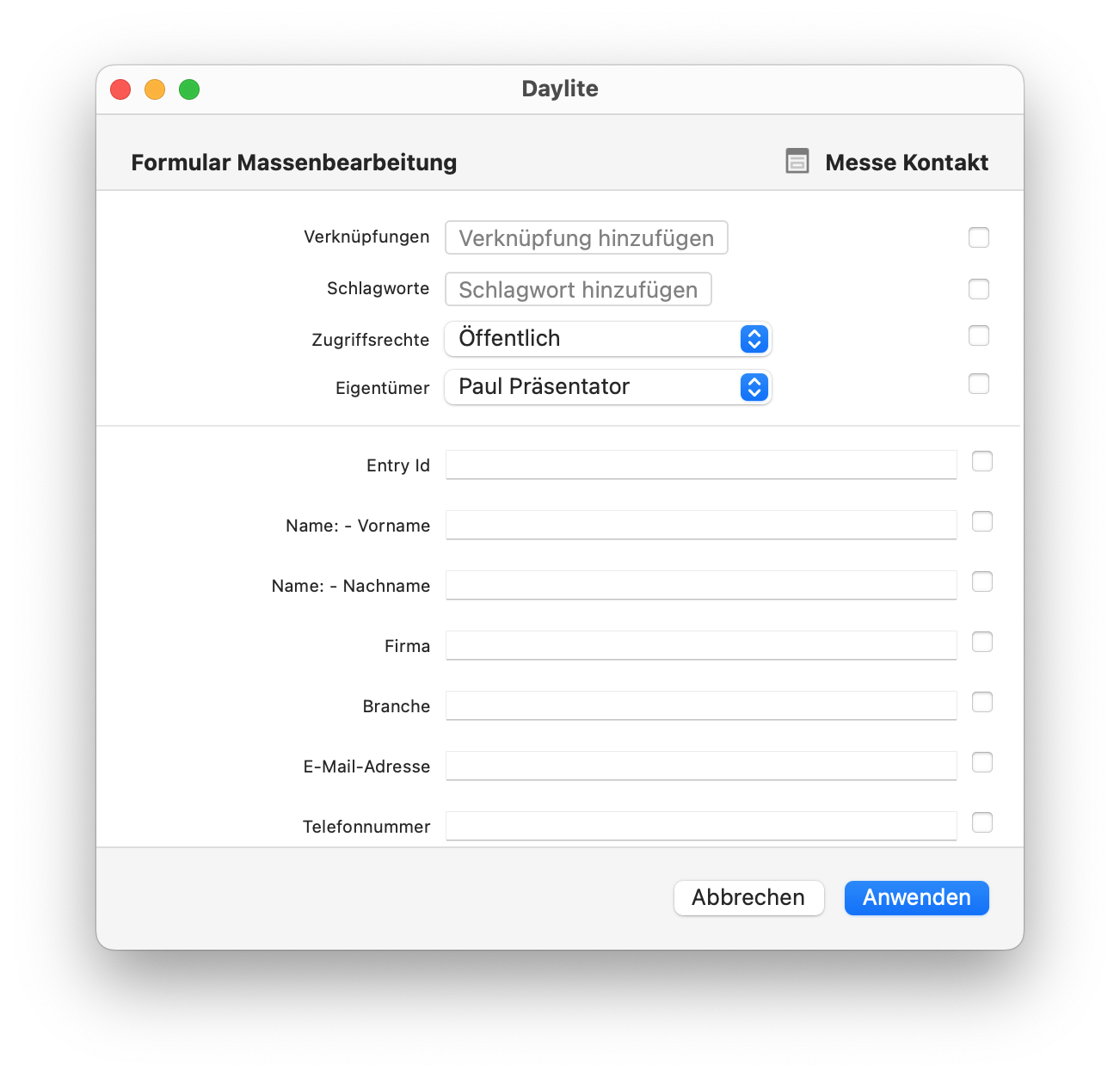
If you frequently work with forms in Daylite, you’ll love the bulk editing feature.
Bulk Editing Forms
If you frequently work with forms in Daylite, you’ll love the bulk editing feature.
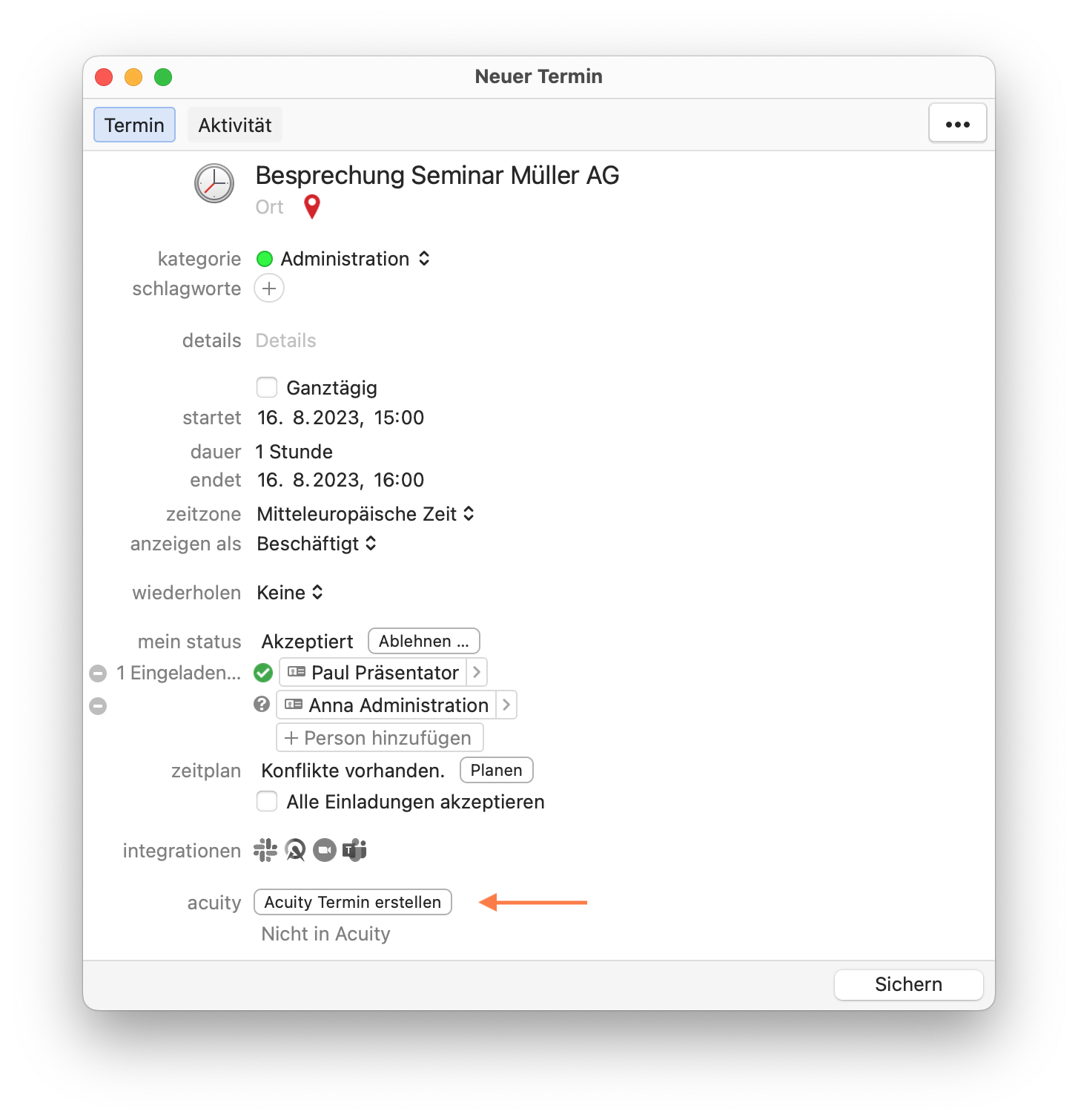
Creating Acuity Appointments in Daylite
Create appointments manually in Daylite and use Acuity’s automatic reminder features
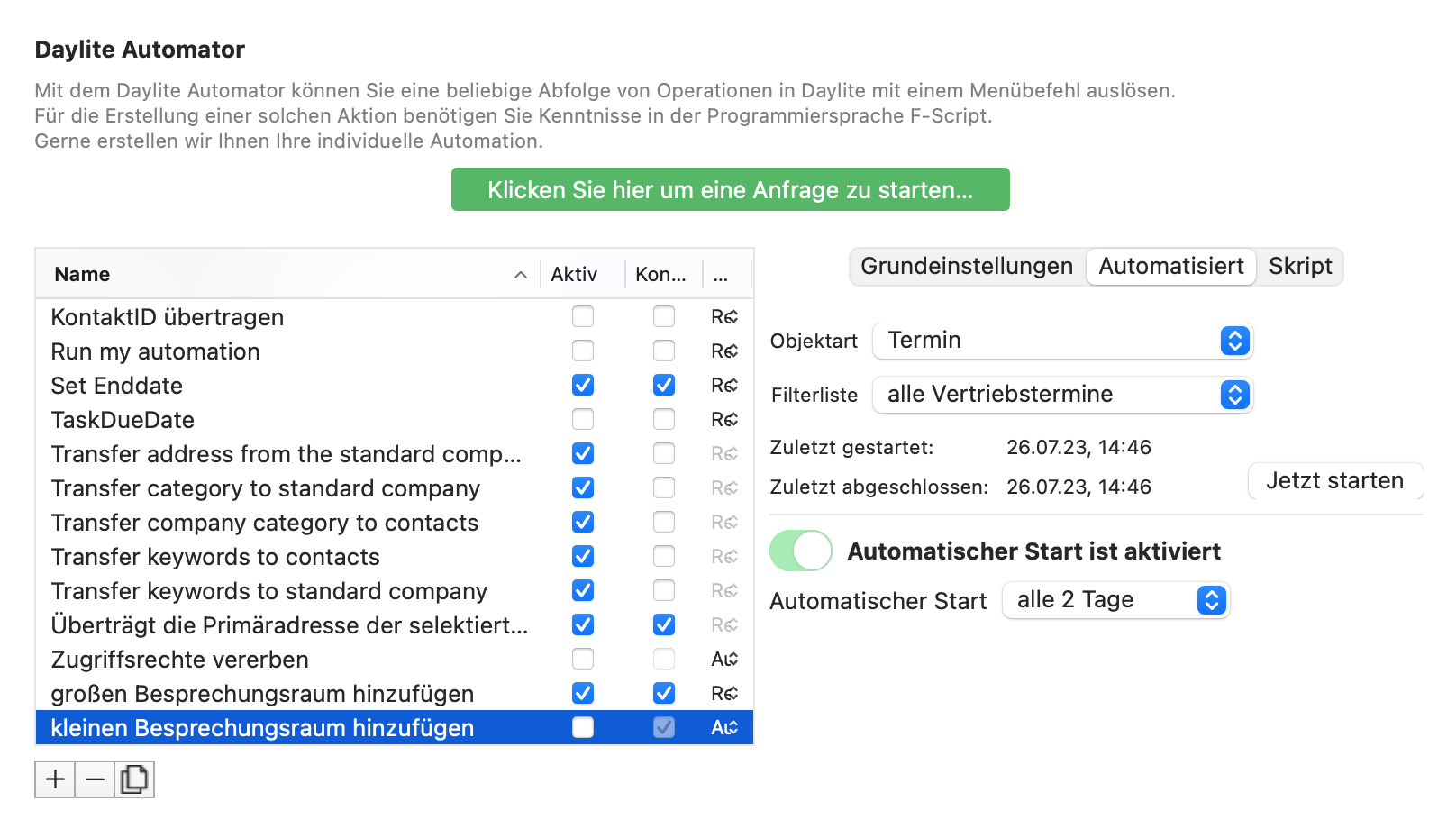
Scheduled Scripts for Automations
Create scheduled automations to, for example, periodically improve the quality of your collected data.
Scheduled Scripts for Automations
Create scheduled automations to, for example, periodically improve the quality of your collected data.
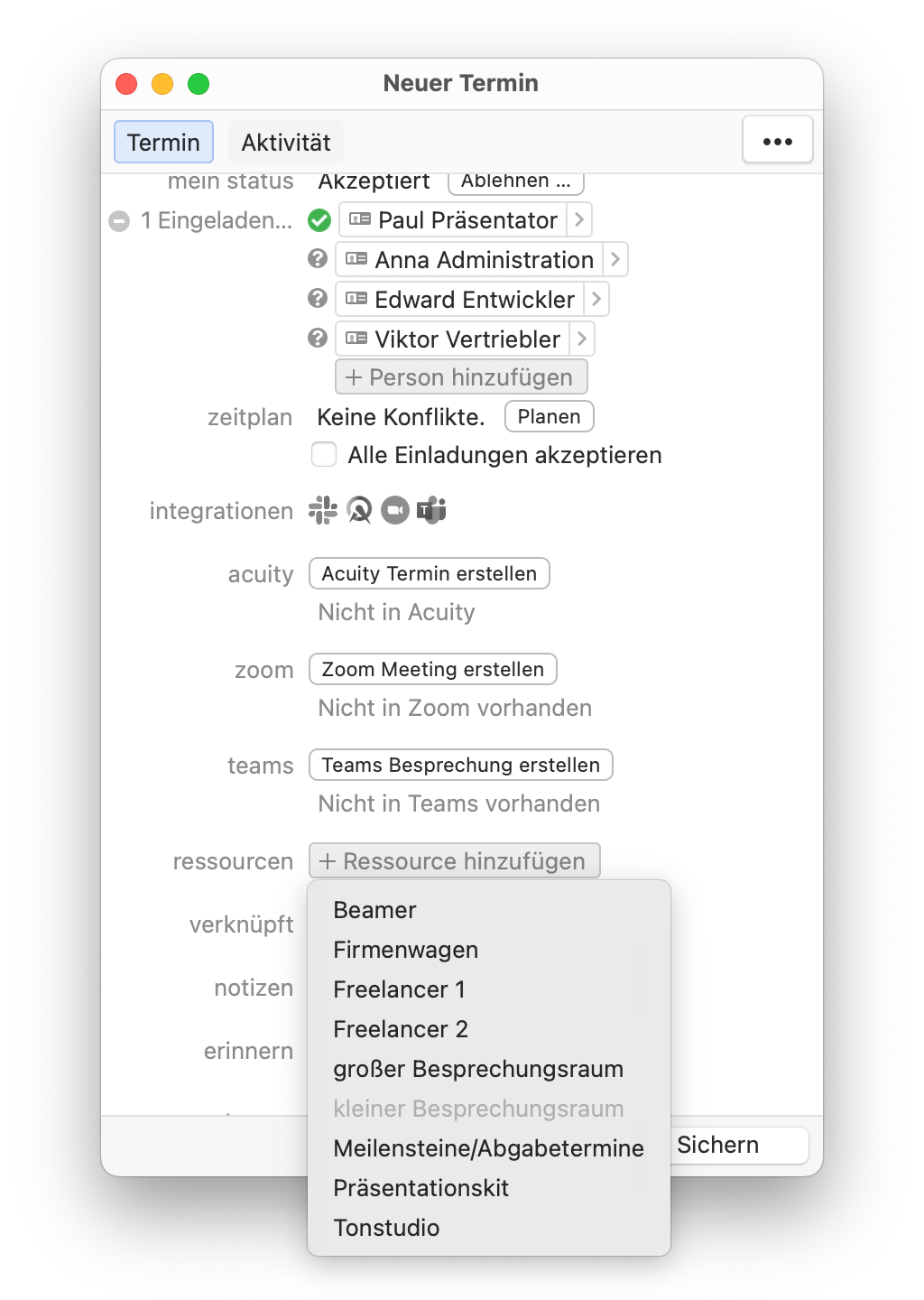
Advanced Resource Management
Daylite allows you to manage resources such as meeting rooms, machines, or cars. We’ve ensured that availability is automatically determined when you add a resource. This helps you avoid double bookings of resources.
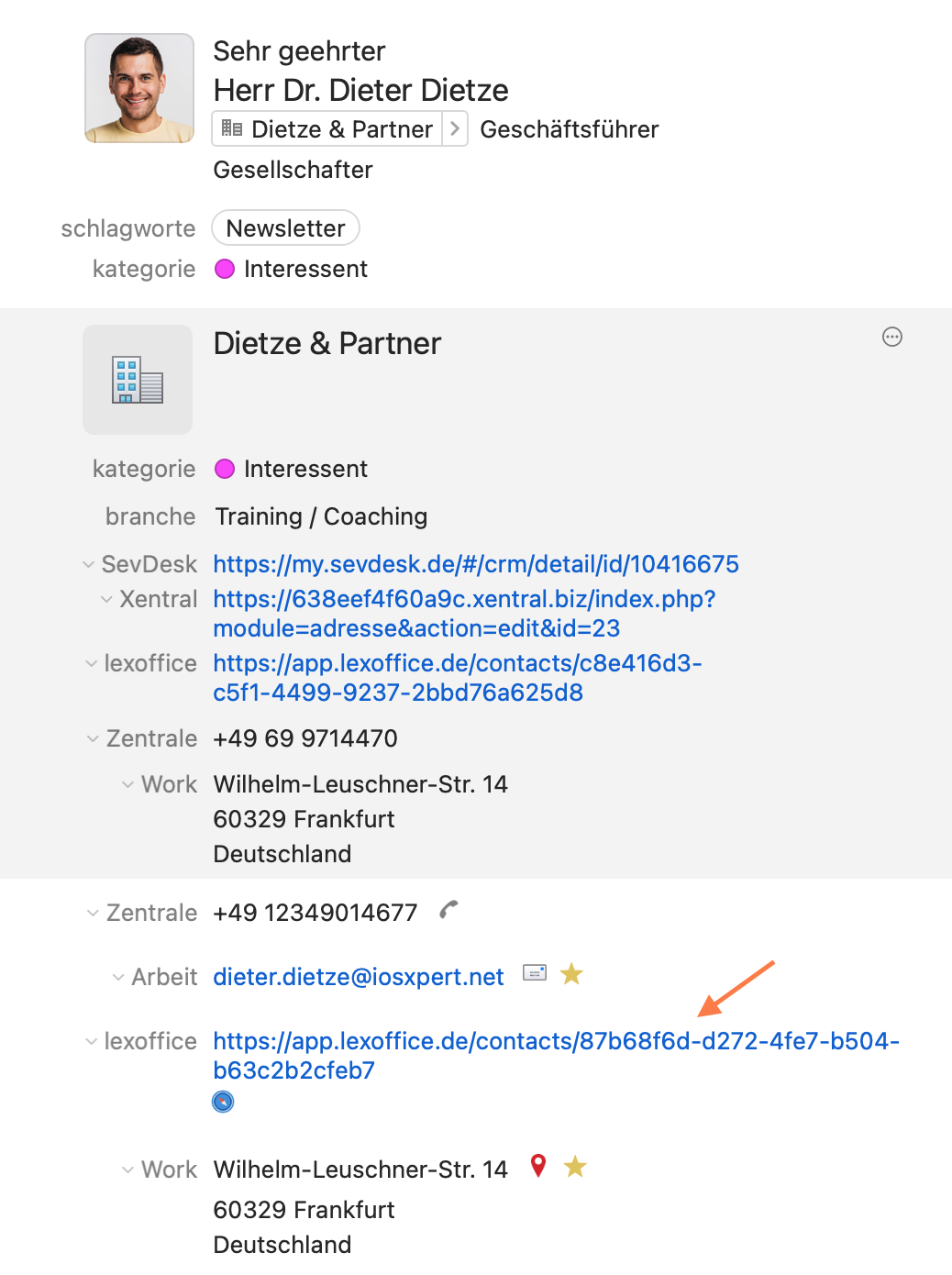
Weblinks in the Detail View
We display links to websites for projects not only in the history but also in a contact’s detail view.
Weblinks in the Detail View
We display links to websites for projects not only in the history but also in a contact’s detail view.
Advanced Acuity Sync
Sync not only individual employees’ calendars with the online appointment scheduling service Acuity Scheduling, but also complex calendar smart lists that include the availability of multiple employees. Work with group events, and use scripts to run automated processes in Daylite based on appointment bookings.
Advanced Filtering Options
Additional filter criteria for preset visibility settings as well as read and write permissions will significantly streamline your workflow. Filter specifically by phone labels, subtasks, or criteria related to a person’s primary company. These and many other advanced filtering options give you efficient and comprehensive control over your data and allow you to isolate the relevant information.
Open objects in a new tab
Open a linked Daylite object in a new tab.
Linking Opportunities and Projects
You can link as many projects as you like to a sales opportunity—and vice versa, at any time.
Multiple Teams, Webex
Do you work with different Teams or Webex accounts because you’re a member of multiple organizations? Our Plus Package lets you manage as many accounts as you want. That way, your meeting is always created in the right account.
10% off all consulting services
You’ll receive a 10% discount on all consulting services. For example, with our Daylite Business Coaching packages, you can save more than 200€ per year. Even if you book just one day of consulting with us, you’ll save 100€ per day.
Optional Plus Package features (some available for an additional charge)
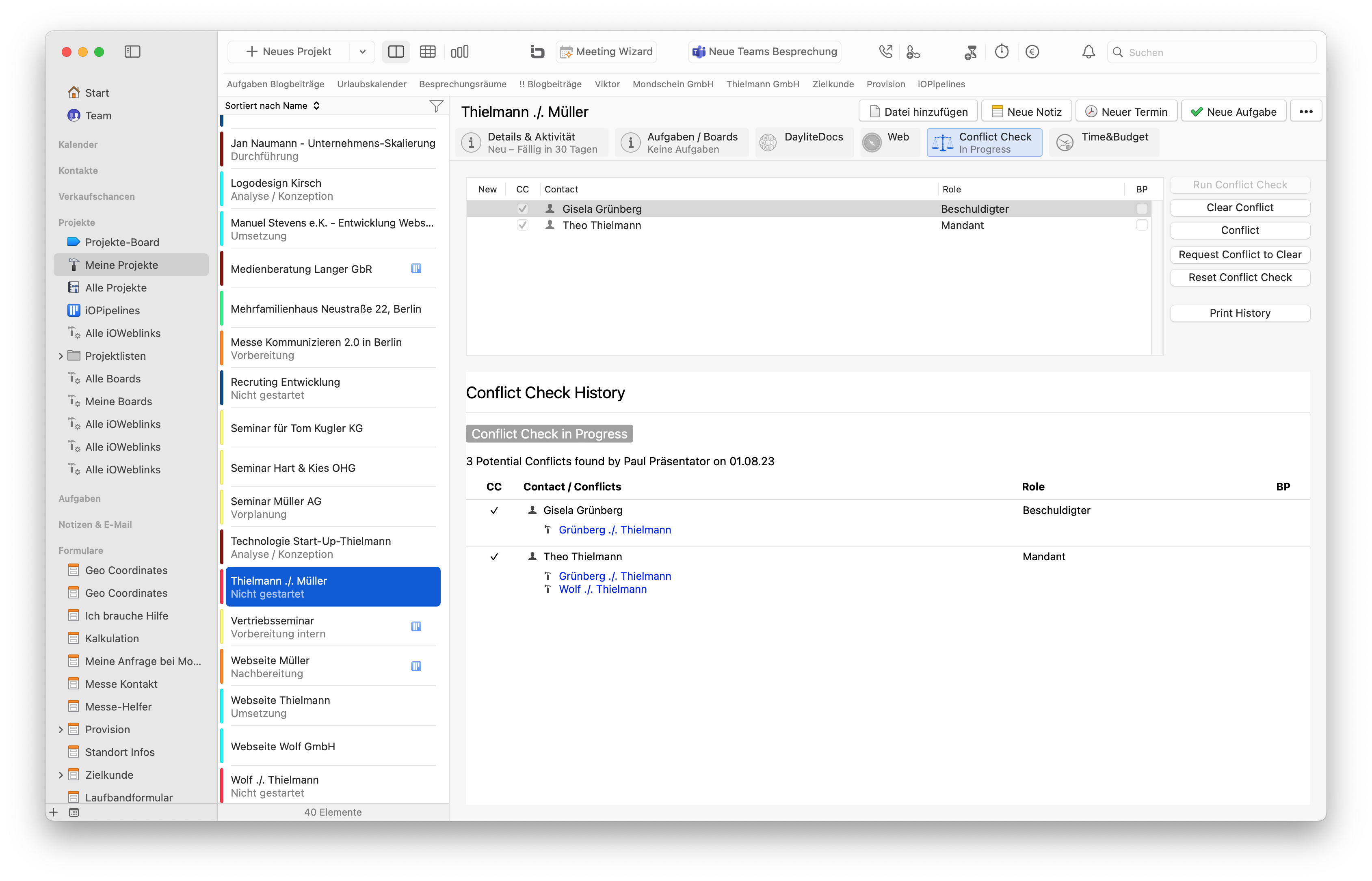
Conflict Check
A feature designed specifically for attorneys to help avoid conflicts of interest. For each case, check whether you can accept the client or whether you have already represented the opposing party. Potential conflicts are displayed immediately.

Advanced resource planning
Plus Package customers can purchase the advanced resource planning feature. This allows you to plan your employees’ schedules precisely using a Gantt chart. Implementation requires custom configuration.
Advanced resource planning
Plus Package customers can purchase the advanced resource planning feature. This allows you to plan your employees’ schedules precisely using a Gantt chart. Implementation requires custom configuration.
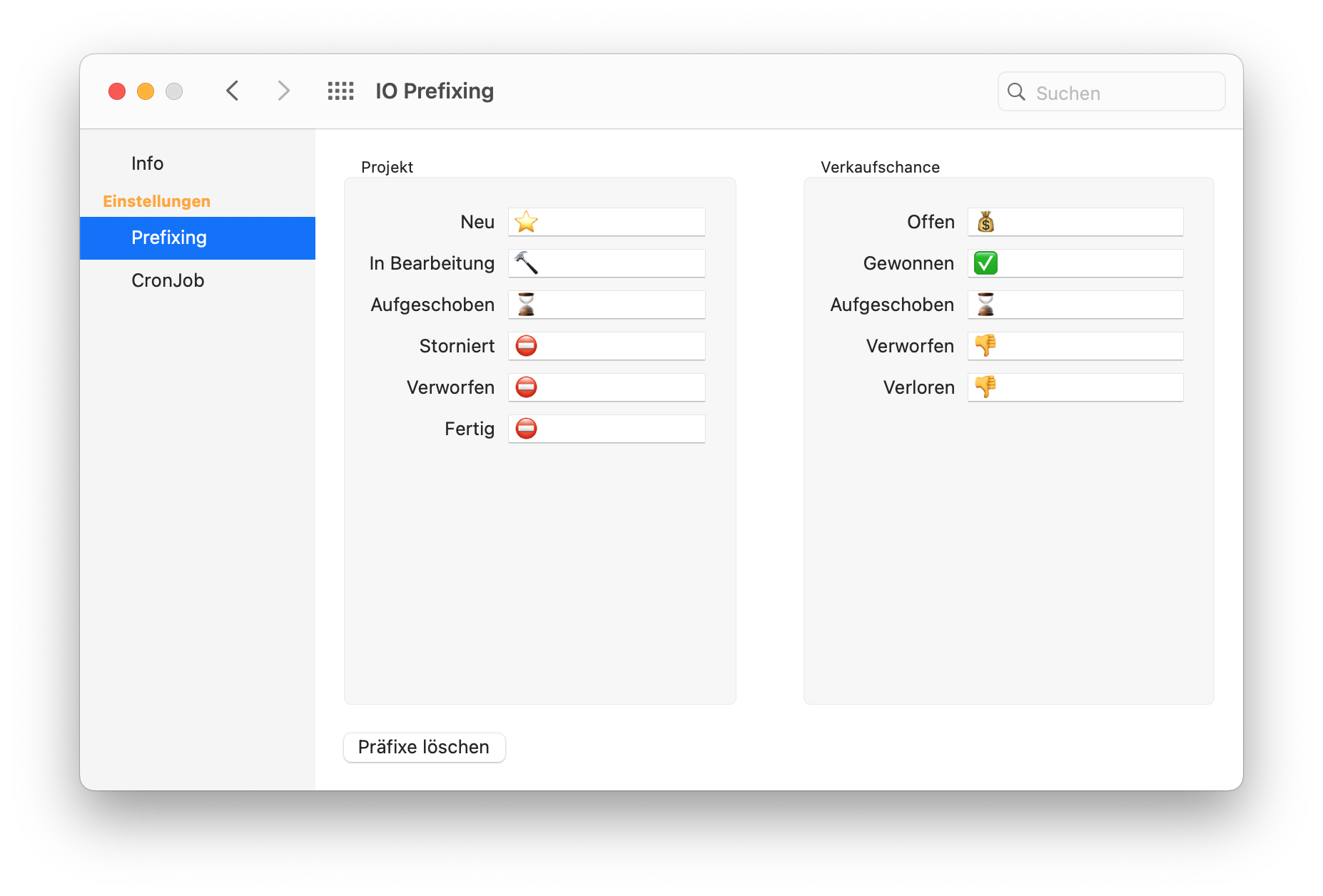
Status Emojis
With our status emoji features, you can visually represent the status of sales opportunities and projects in Daylite. Implementation requires custom setup.
Datamanagement
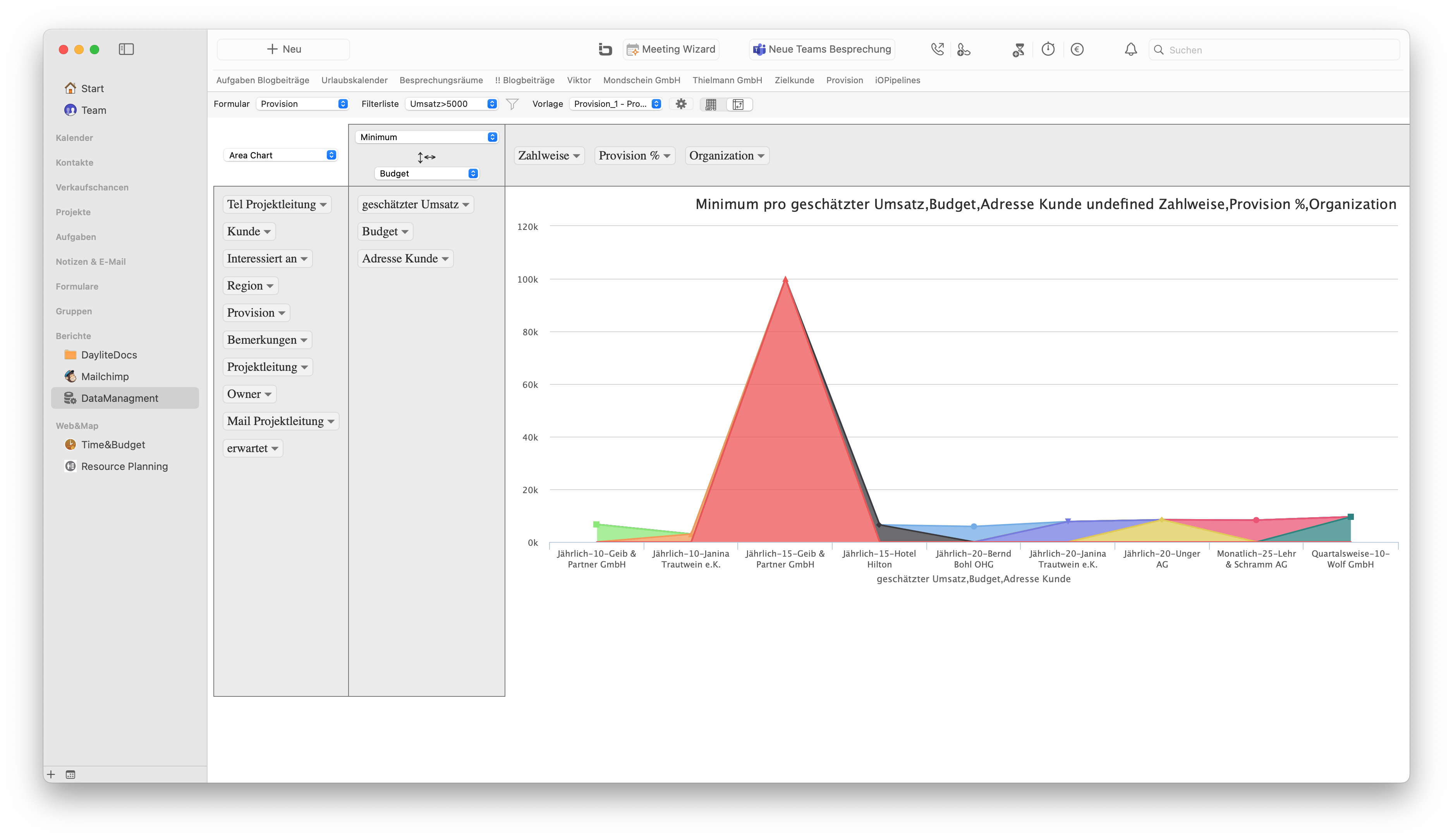
The Data Management module allows you to view and edit form data in list form. Your data can be visualized as a pivot table. Setup requires customization.
Datamanagement
The Data Management module allows you to view and edit form data in list form. Your data can be visualized as a pivot table. Setup requires customization.
FormCalculator
The Form Calculator allows you to work with calculation fields within forms and define formulas for calculations.

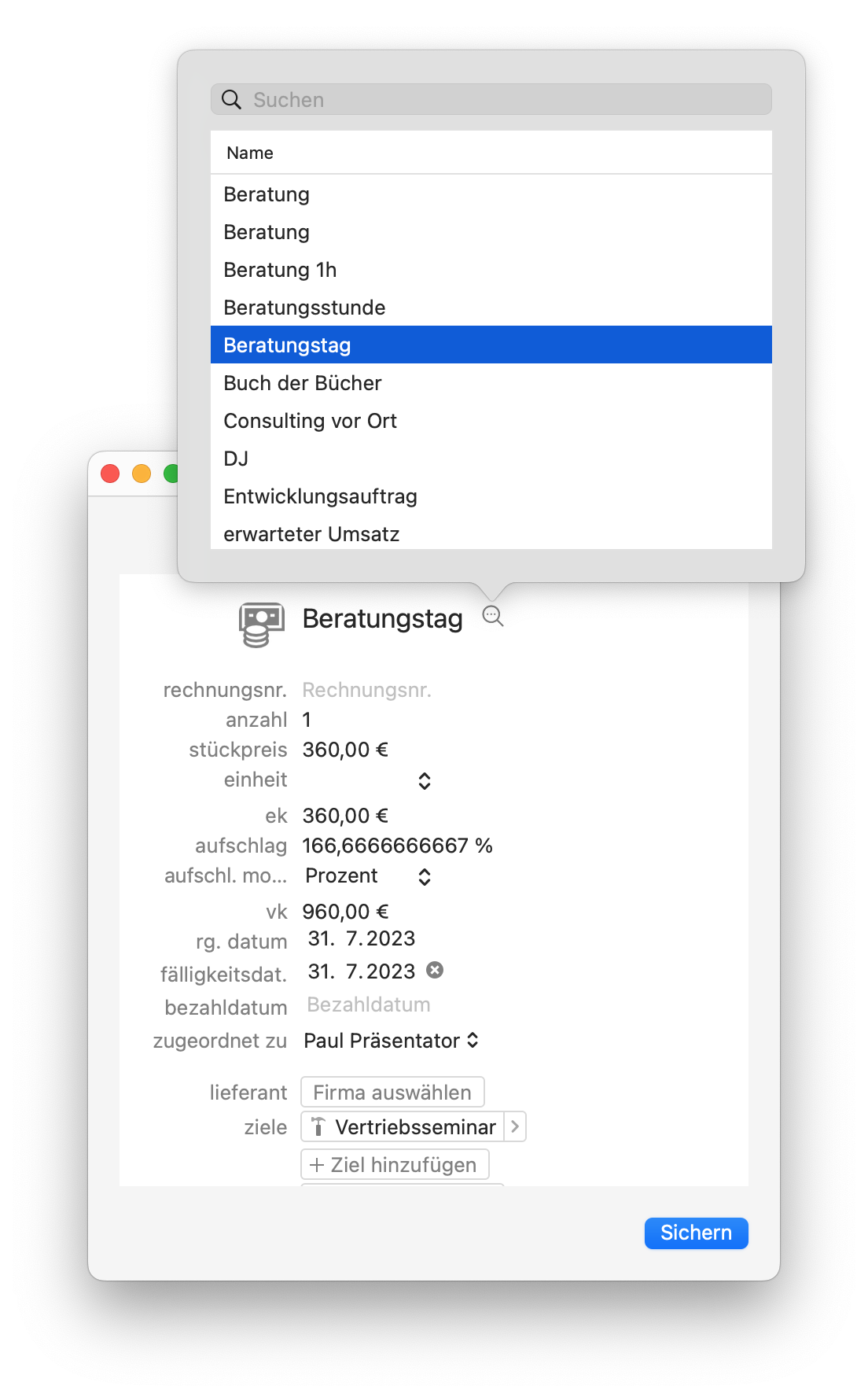
Products & Services as a Template for Expenses
This special feature allows you to access products and service items created in Daylite when entering expenses for Time&Budget.
Products & Services as a Template for Expenses
This special feature allows you to access products and service items created in Daylite when entering expenses for Time&Budget.
Klipfolio Connector
The Klipfolio connector allows you to automatically sync Daylite data with the Klipfolio data visualization service. Klipfolio lets you visualize business data as dynamic graphical reports.
sevDesk Expense Tracking
The sevDesk expense tracking feature allows you to import expenses into Daylite. This enables you, for example, to save supplier receipts for internal project analysis.
Calendar Importer
The Calendar Importer allows you to automatically import calendars subscribed to via CAlDAV, so that the events are not only displayed but also behave like real Daylite events.
Absence Connector
Integrate the absence HR and leave management system with Daylite. Absences recorded in absence are synchronized with the calendar in Daylite.

Have questions about our Daylite extensions?

Schedule a free appointment with our consulting team:

